Vocal Effects Editor
The Vocal Effects Editor provides control over the Roland JD-Xi’s vocal processing: Vocoder and Auto-Pitch. The editor uses a polymorphic UI that switches between OFF, VOCODER, and AUTO-PITCH modes, with three tabs for Common, Vocoder & Auto Pitch, and Mixer parameters.
What is the Vocal Effects Editor?
The Vocal Effects Editor maps to the JD-Xi’s Program Common and Vocal Effect parameters. It requests and receives SysEx data on show, keeping the UI in sync with the hardware. Changes are sent to the synthesizer in real time.
Core Structure
- Effect Type (Polymorphic UI)
OFF: Vocal effects disabled
VOCODER: Classic vocoder processing
AUTO-PITCH: Auto-pitch correction and processing
The editor uses a QStackedWidget—selecting an effect type switches the visible page. There is no “Classic Vocoder” vs “Modern Vocoder” distinction; the JD-Xi has these three modes only.
- Tab Layout
Common: Shared parameters (e.g. Vocal Effect Part: Part 1 or Part 2)
Vocoder & Auto Pitch: Parameters specific to Vocoder and Auto-Pitch modes
Mixer: Mix and balance controls
- SysEx Sync
On show, the editor requests PROGRAM_COMMON and PROGRAM_VOCAL_EFFECT
Incoming SysEx updates the controls (COMMON and VOCAL_EFFECT)
Parameter addresses: VOCAL_EFFECT 0x16→0x1C (per JD-Xi guide)
Key Parameters
- Common
Vocal Effect Part: Part 1 or Part 2 (which synth part feeds the vocal effect)
- Vocoder & Auto Pitch
Parameters vary by effect type; see the JD-Xi manual for full parameter list
- Mixer
Balance [dry→wet]: Balance between dry and processed signal
Pan, Gender, Octave: Additional controls as supported by the JD-Xi
Getting Started
Open the Vocal Effects Editor: Select the Vocal Effects tab in the Program Editor
Choose effect type: Select OFF, VOCODER, or AUTO-PITCH from the effect type combo
Adjust parameters: Use the Common, Vocoder & Auto Pitch, and Mixer tabs
Save: Use File → Save Patch to save your program (Vocal Effects are included in patch save)
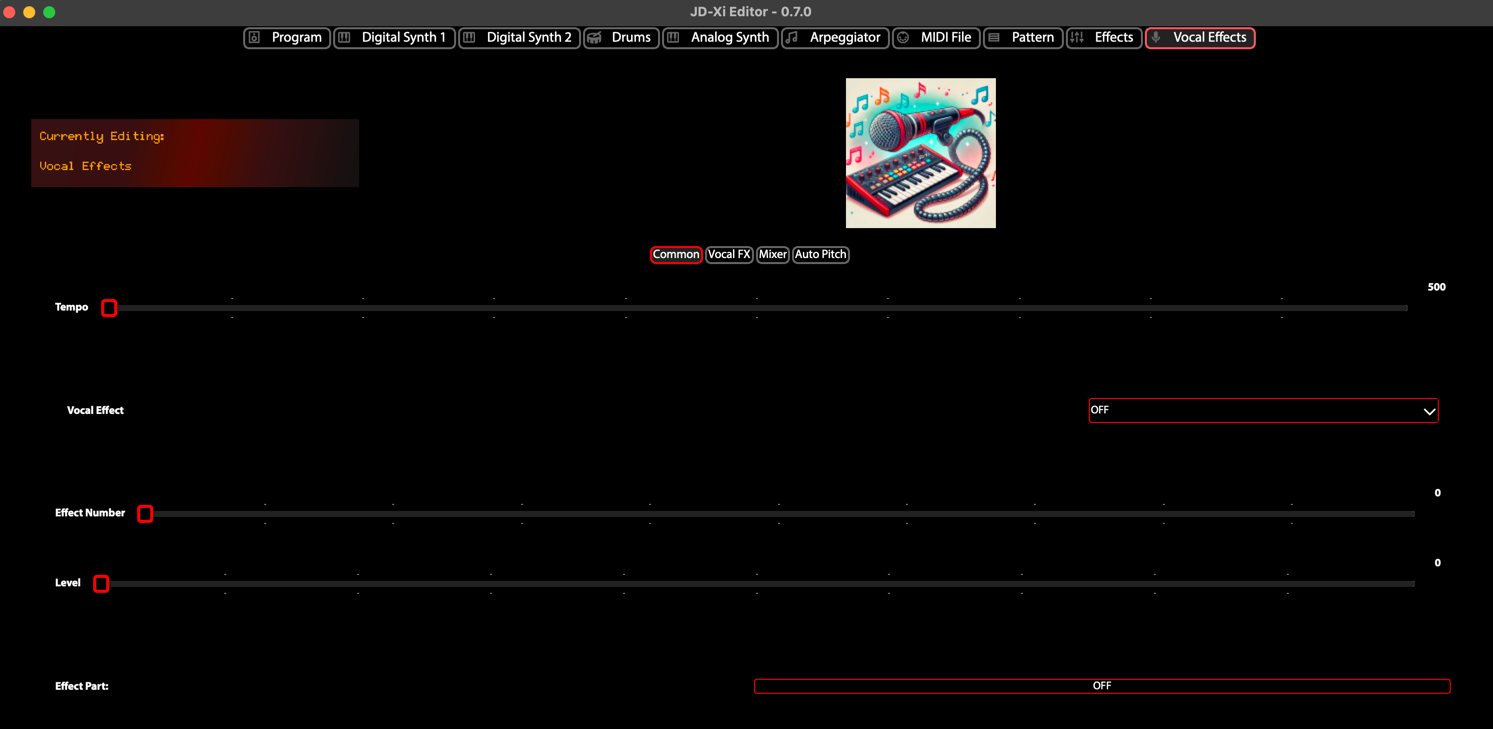
Vocal Effects Editor - OFF/VOCODER/AUTO-PITCH